


Imagine never having to miss a delivery again while you’re at the office, or worrying about your home while you’re overseas. Smart home security cameras and other smart products have made those concerns a thing of the past.
In today’s tech-advanced world, more and more people are installing smart home devices to not only bring convenience to their everyday life, but to help improve their home’s security. In fact, research from the ‘Smart Home Security Camera Market Report (2026-2033)’ estimated the global market for smart security cameras was worth $11.7 billion in 2025, and predicts it will reach $56.47 billion by 2033, which accounts for a whopping 22.1 per cent increase between now and 2033.

So what exactly does it all mean? Well, as the market grows and the technology becomes readily available, it means it is easier and more affordable than ever to install these items in and around your home. Setting up smart devices these days is quite simple and quick: it usually only requires downloading the associated app, securing the device in place, and following the instructions to finish the installation in the app, all of which should only take a few minutes.
And once you are up and running, remember these tips for your smart home security system, from Jack Hall, Officeworks Category Manager of Smart Tech.
- Keep an eye on your battery levels – if your security products are battery powered, a periodic check every few weeks of the battery level (via the app) will let you know if they need charging.
- For devices that store footage to the cloud, make sure you choose secure passwords.
- For extra peace of mind, if you have smart lights at home, schedule them to come on at night if you are not home to give people the impression that someone is there.
What to Know When Buying a Home Security Camera

A security camera provides two things: a live feed of your home and notifications when movement is detected on your property. The first step when putting together a home security system from scratch is to make sure you’re investing in devices that are compatible with your existing setup, and with each other.
“If you have existing smart home devices, look for products that use the same ecosystem, such as Google or Alexa, so you can control everything through one app,” says Jack. Plus, he says, there are a few other key specs to brush up on.
SEE ALSO: Experts Reveal the New Technology Trends for 2026
1. Wired vs Wireless Cameras
“Wired systems continually record to a local hard drive but users may need help with installation,” says Jack. “Wireless ones have more flexibility in terms of placement, but need taking down for charging (unless they have solar panels), and have limited storage or require a subscription.” Some models of camera feature an in-built memory card slot, so you can store recorded footage at home, or you could opt for a monthly cloud subscription to do this for you.
2. Image Resolution
“Most devices are moving beyond 1080p resolution to provide clearer pictures,” says Jack. Technology updates mean high-res 2K cameras are now the norm, and there are also quite a few 4K options available, making for clearer video and the ability to zoom in and see details like people and number plates. They also work better in low light, such as nighttime, so you can make out the finer points.
“AI features also help identify the difference between people, animals and vehicles, meaning less false alarms and longer battery life in battery powered cameras,” says Jack.
3. Camera Placement
“Don’t just look at the front door,” says Jack of setting up your home security system. “Think about access points like the rear of the house.” Also he suggests making your cameras visible. “The mere presence of cameras will act as an initial deterrent for potential thieves,” says Jack.
Situate cameras inside the home, where as well as keeping an eye out for security reasons, you can also use them to check on an escape-prone puppy or a snoozing toddler. For external use, ensure the smart security camera you buy can handle the weather. You may also want to check its night-vision capability, so it can capture footage after dark.

What to Try: Smart Security Cameras
- Google Nest Cam Battery-Powered Outdoor/ Indoor
- Google Nest Cam Battery-Powered Outdoor/ Indoor 3 Pack
- TP Link Tapo C410 Solar Powered Security Camera Kit
- TP-Link Tapo C310 Outdoor Security WiFi Camera Wired
- TP-Link Tapo C210 Pan/Tilt Security WiFi Camera Wired
- Ring Spotlight Cam Pro Battery White
SEE ALSO: Real Review: Bambu Lab A1 mini 3D Printer
Building a Full Smart Home Security System
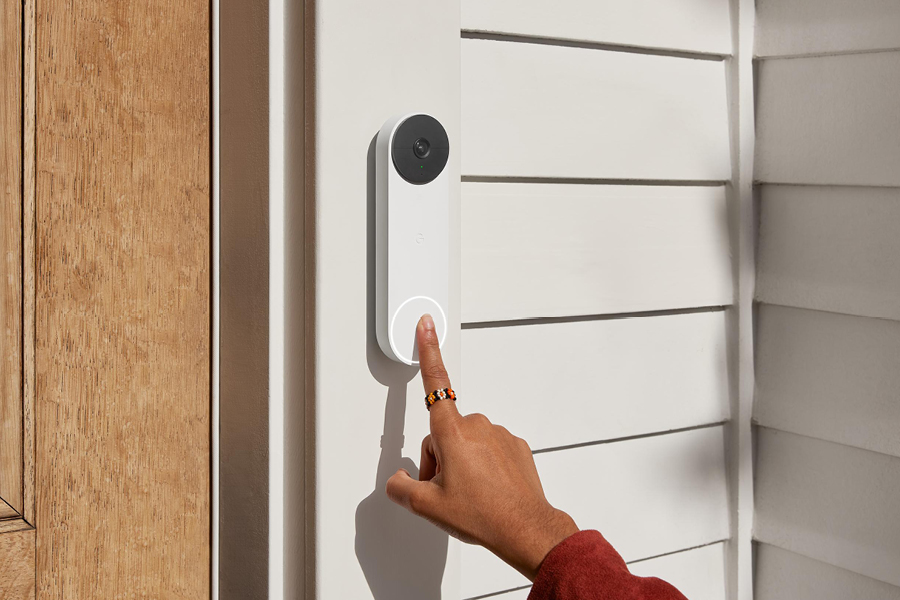
As well as protecting your house by setting up security cameras, there are other things you can do to make your home more secure, including video doorbells, motion sensors and alarm systems. And with the latest innovations in smart security technology, you will also find there are added benefits of convenience and energy savings.
Make a Smart Entrance with Video Doorbells
How’s this for clever? See who’s outside your home and answer the door from anywhere with a smart doorbell. It’s perfect for when you’re expecting an important delivery while you’re out of the house: when the bell is pressed, you’ll receive a notification that someone is at your door. You’ll be able to see and talk to them as if you’re inside your home instead of across town. They’re also handy if you want to check the kids got home from school alright and, bonus, they double as additional home security cameras.

What to Try: Smart Doorbell
- Google Nest Doorbell Battery
- Ring Chime 2020 Grey
- Ring Battery Video Doorbell Nickel (2024)
- Arlo Essentials Video Doorbell 2K Second Gen
No Keys Required With Smart Security Locks
Never worry about forgetting your keys (or having the lock picked) with a smart lock. Key to a convenient home security system, it opens the front door with a security code, via a smartphone app or with a key tag. Some models also feature a fingerprint reader for greater security.
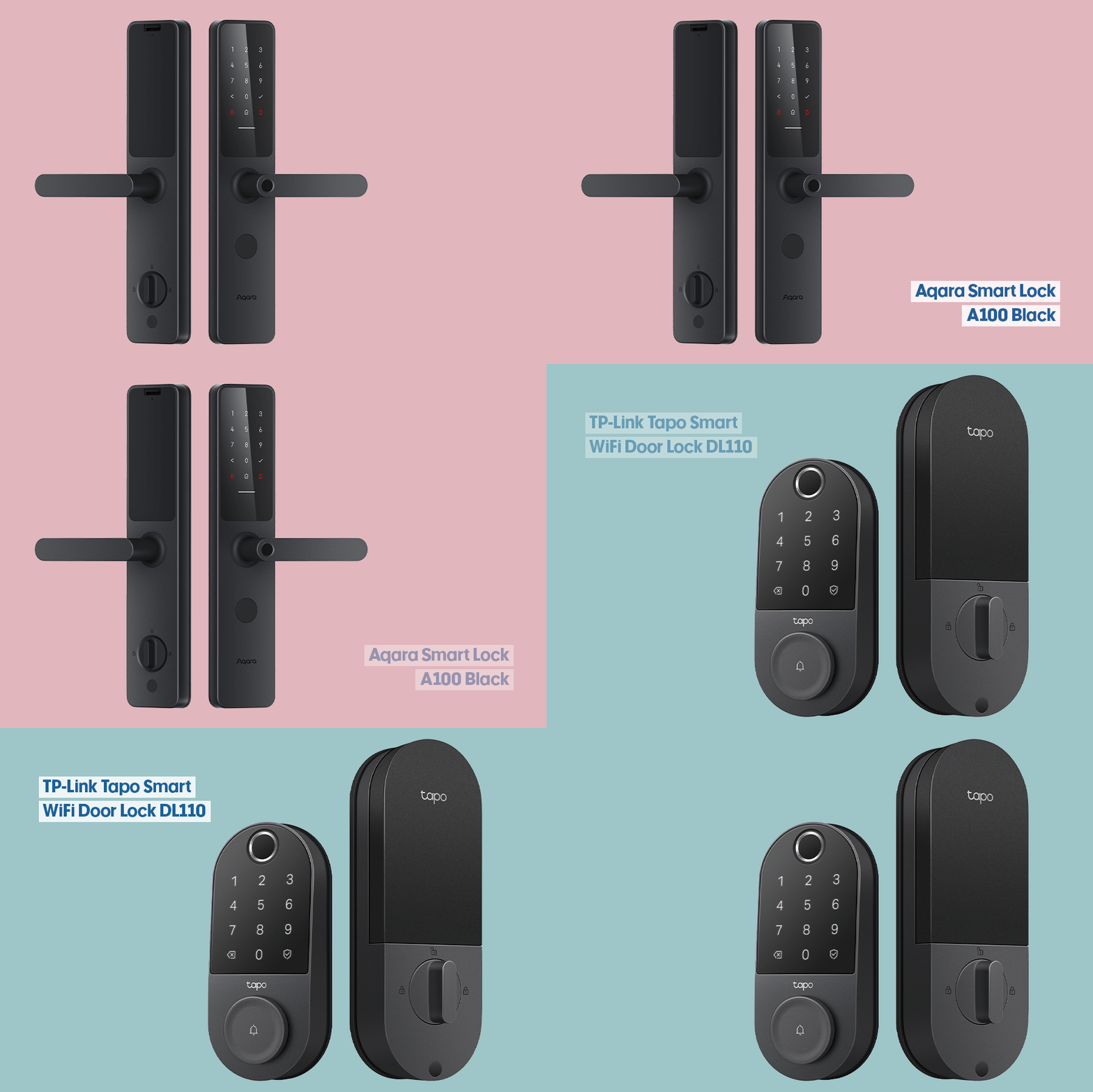
What to Try: Smart Lock
Know What’s Coming with Motion Sensors
Smart sensors can play their part in smart home security by setting off alarms when someone is approaching or turning on lights when they sense motion. This can deter intruders and mean you’re alerted sooner to get help, if needed. A product like the Philips Hue Motion Sensor can detect when someone enters a room and automatically turn on the companion Philips Hue smart bulb or light strip, and, even better, turn it off if no motion is detected in the room.
You’ll need to check whether your chosen motion sensors require a bridge device to connect your smart products together and to your compatible smart app to make them work. For example, you may need a bridge device for your motion sensor to turn on lights and send you a notification when it detects movement during a time period you have set up in the app.

What to Try: Smart Motion Sensor
Make the Connection Work With Mesh WiFi Systems
“For smart home products to work properly together, you need a mesh WiFi system,” says Jack, not just a router and an extender. A mesh WiFi router creates a consistent and stable wireless network across your home, which is essential when you’re running smart home security devices. To connect a smart product, use the companion app to link it to your home network.

What to Try: Mesh Networking
- TP-Link AX3000 Whole Home Mesh Wi-Fi 6 System 2 Pack
- NETGEAR Orbi AX1800 WiFi 6 Dual-band Mesh System 3 Pack
- Google Nest Wifi Pro Home Mesh Wi-Fi 6E System White 3 Pack
- TP-Link BE25 Whole Home Mesh WiFi 7 System 2 Pack
SEE ALSO: My Tech Must-Haves With To Be Read Book Club
This article was originally published in August 2023 and has been updated.
