



In the market for a new laptop but not sure how to figure out which is the best one for you? We know tech specs can be a bit mind-boggling, but we're here to help unpack the important features and answer your laptop questions. Whether you’re looking for an entry-level laptop, gaming laptop or an upgrade with all the specs for your small business, this guide will help you find the right one.

Key Features to Consider
Memory
Also referred to as random access memory (RAM), a laptop’s memory is its short-term data storage for apps you’re actively using. While you’re browsing online, curating a playlist or editing a document, your RAM is loading this data so you don’t have to wait. The more RAM a device has, the more tasks it can handle at once without slowing down.
Storage Capacity
Storage capacity is your device’s local long-term storage and determines how much your laptop can hold, from programs to documents. Measured in gigabytes (GB), the more capacity your device has, the more it can locally store. Running out of room? Learn about data storage devices for saving your files and keeping them safe.

Central Processing Unit
A central processing unit (CPU) is responsible for everything your laptop can do – it’s basically the brain of your device. It processes every keystroke and mouse click and translates it into actions. The speed in which a CPU can process data is measured in gigahertz (GHz) and the higher the number, the faster your device will be. Newer CPU generations will usually be more powerful with the ability to run heftier programs, such as video editing software or detailed video games, and deal with larger files such as high-resolution photos.
AI Capability
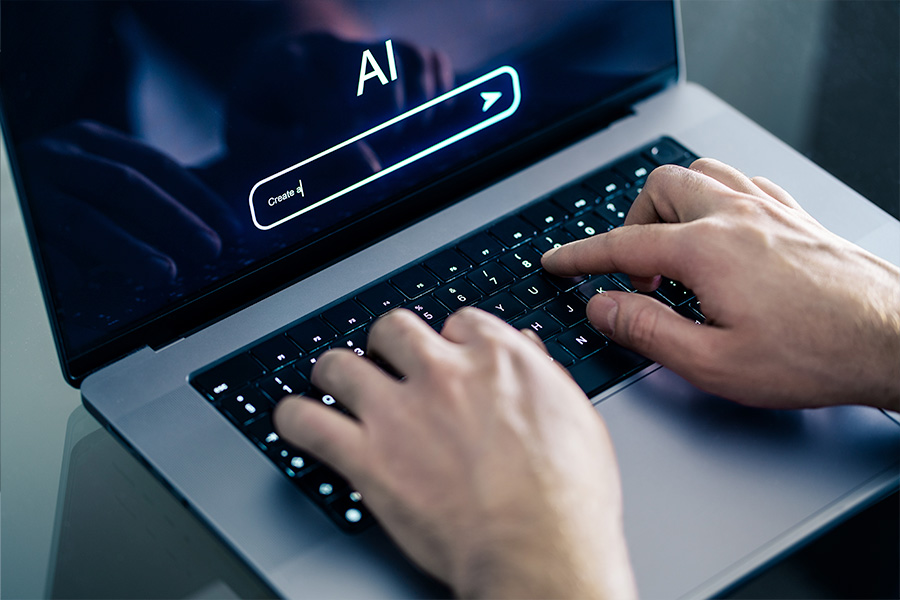
Artificial intelligence software is becoming a staple feature of devices. The latest models hitting the shelves offer AI features, software subscriptions or even have AI within their very hardware with a neural processing unit (NPU), which enhances AI efficiency.
“An AI laptop has special parts that help it do smart tasks faster, like understanding speech, editing photos or translating languages,” says Geeks2U technician Ariel. “Compared to a regular (non-AI) laptop, it works faster on these smart tasks, uses less battery and can do more things without needing the internet.”
SEE ALSO: The Benefits of an AI Laptop for Work, Study and Play
Screen Size and Resolution
The size of a laptop’s display is measured diagonally from corner to corner. Resolution, or picture quality, is measured in pixel density, often in the format of width by height. For example, full high definition (FHD) is 1920 by 1080 pixels and ultra high definition (UHD) is 3840 by 2160 pixels. The higher these numbers, the better the quality resolution. If you select a larger screen, you want to make sure the pixel density correlates with a larger number of pixels as well.
Refresh Rate
Measured in hertz (Hz) this rate refers to the speed in which the laptop screen can display an image or frame. For example, 120Hz means the display can show 120 frames per second. The higher the hertz, the quicker and better the refresh rate.
Battery Life
A long-lasting battery is an essential feature for a portable device, whether it’s for uninterrupted learning time or sending emails out while in transit. A laptop’s battery life indicates how long the device can run before needing to recharge. If you find yourself needing a device for long days on the go or to last a full day of school, this is something to keep top of mind.
Hot Tip: If battery life is your priority, look for laptops with energy-efficient processors, such as Snapdragon. They’re specifically designed to generate less heat and use less electricity than traditional chips to process information. This means they’re able to deliver multi-day battery life (based on an eight-hour workday), so you’ll spend less time hunting for power outlets and more time getting things done.

Before You Buy, Ask Yourself…
“When you’re choosing a new laptop, start by asking yourself these questions to help decide what’s most important for you,” says Ariel.
- What will I use the laptop for? Is it for work, study, gaming, creative tasks like video editing or just browsing and email?
- Where will I use the laptop? If you will carry it every day, go for something lightweight (under 1.4kg) with a screen size of 13 to 14 inches and a long battery life. But if you are going to use it mainly in one place, a bigger screen (15 to 17 inches) might be more comfortable.
- Do I have a preferred operating system? This might be determined by what software you already use or like in your ecosystem.
- How much do I want to spend? More money often means better performance, screen and build quality. However, the most expensive option isn't always necessary for basic use.

I Run My Own Business. What’s the Best Laptop for Small Business Owners?
HP 15" Core i7 16/512GB Notebook
Screen size: 15.6 inches
Resolution: 1920 x 1080 pixels
Battery life: Up to 7.5 hours*
Weight: 1.65 kilograms
Whether you’re building your website or making plans for your next quarter, the HP Core i7 laptop will help you get all your small business ideas off the ground. Its driving force, the Intel Core i7 processor, provides the super boost you need to tackle everything from the day-to-day admin to big-picture tasks. Its 16GB of RAM makes it easy for your inner multitasker to thrive and its 512GB of local storage gives you plenty of space to keep your important notes and projects at your fingertips. Plus, its built-in webcam helps you stay connected to your network, whether you’re collaborating with other business owners or pitching to new clients.

My Child Is Transitioning From a Tablet to a Laptop for School. Which Is the Best Laptop for Kids?
HP 15.6" Laptop N100 8/256GB Silver
Screen size: 15.6 inches
Resolution: 1920 x 1080 pixels
Battery life: Up to 7.5 hours*
Weight: 1.65 kilograms
We all need to start somewhere and the HP N100 laptop makes learning about the wide world of laptops easy for your little ones. Its slim design means it fits smoothly into their backpacks before they set off for school each morning. They’ll be able to learn and explore on its high-definition 15.6-inch display, while its built-in webcam allows them to join in e-learning sessions. Its wide range of ports, including USB-C, USB 3.2 and HDMI, lets them connect effortlessly to other devices and its seven-hour battery life will get them through the school day.
SEE ALSO: The Best BYOD Devices from Primary to High School

My Child Needs a Laptop Upgrade for High School. Which Laptop Is Best for Students?
Acer Aspire 16" CoPilot+ PC Ryzen AI 7 16GB/1TB
Screen size: 16 inches
Resolution: 1920 x 1200 pixels
Battery life: Up to 12.5 hours*
Weight: 1.6 kilograms
The Acer Aspire Ryzen laptop is a great upgrade for students getting ready for their senior school years. Its 16-inch display gives them plenty of room to split their screen between different apps, whether they’re researching or taking notes, while its 16GB of RAM supports their multitasking. Its built-in USB-C, USB 3.2 and HDMI ports provide plenty of connectivity options, and its 12.5-hour battery life will get them through the school day and into their study sessions. Plus, its Copilot AI assistant will help upskill your kids in the world of AI and teach them how it can aid them in their studies and day-to-day tasks.

I’m a Content Creator and Travel a Lot. What’s the Best Laptop for Travelling?
Asus Zenbook A14 Copilot+ PC Snapdragon X Plus 16GB/512GB
Screen size: 14 inches
Resolution: 1920 x 1200 pixels
Battery life: Up to 32 hours*
Weight: 990 grams
This Asus Copilot+ PC is ready for any adventure. Its lightweight and slimline design makes it ultra portable and its Ceraluminum casing, a material created by Asus from aluminium and ceramic, gives it a durable finish so you won’t have to worry about scratches or wear and tear. Its NPU offers enhanced security and accelerated performance, and its 32-hour battery life will come in handy on your long-haul journeys. Your ultimate travel assistant, Copilot+ AI, will help you get things done faster, whether you’re emailing home or editing travel snaps, so you can get back to exploring.
I’m Looking For a Laptop for Personal Use. What’s the Best Laptop for Everyday Use?
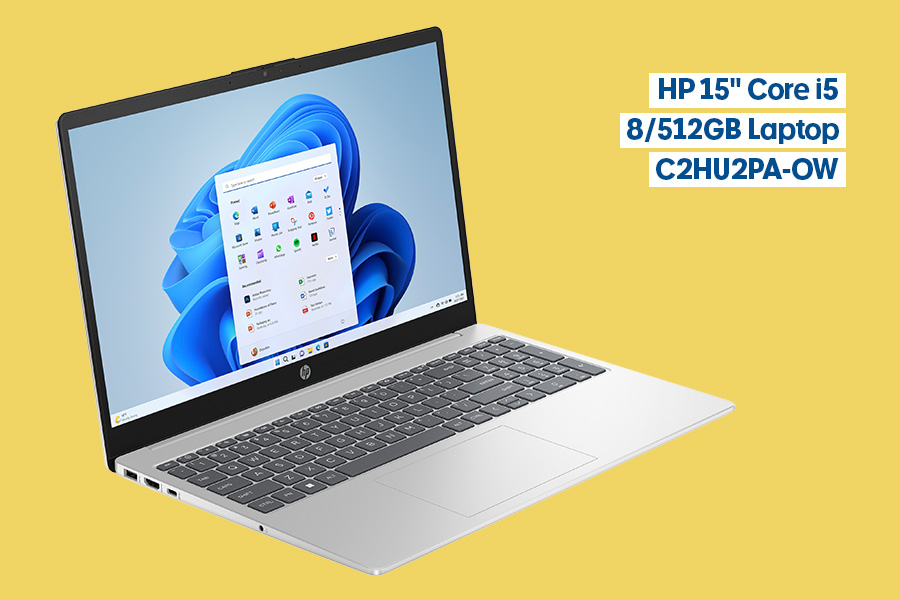
HP 15" Core i5 8/512GB Laptop C2HU2PA-OW
Screen size: 15.6 inches
Resolution: 1920 x 1080 pixels
Battery life: Up to 7.5 hours*
Weight: 1.65 kilograms
Looking for a little bit of everything? The HP Core i7 notebook has it all. Whether you’re streaming your favourite films or browsing online, do it all in full high definition and with dazzling Intel Iris Xe graphics. Its Intel Core i5 primary processor makes light work of your daily admin tasks, with enough power to allow you to easily flick between your tabs and applications. Plus, its 512GB of internal storage is perfect for holding onto what’s important to you, from family photos to essential data.

I Want to Get Into Computer Games. What’s the Best Gaming Laptop for Beginners?
Lenovo Legion 5i Gaming Laptop Core i7 24GB/1TB RTX 5060
Screen size: 15.1 inches
Resolution: 2560 x 1600 pixels
Battery life: Up to 9 hours*
Weight: 1.9 kilograms
Start your gaming journey with the Lenovo Legion 5i gaming laptop. Its Intel Core i7 processor and NVIDIA GeForce RTX5060 graphics lets you seamlessly explore new worlds and succeed in every quest without any lag or stutter. Plus, its 165Hz refresh rate ensures ultra-smooth gameplay in vivid, ultra high definition on its 15.1-inch OLED screen.
SEE ALSO: 10 Hacks to Make Your Gaming Setup Even Better

I Want to Upgrade My Gaming Laptop. What’s a More Powerful Laptop for Gaming?
Acer 15.6 Nitro V 15 Gaming Laptop Ryzen 5 16/512GB RTX3050
Screen size: 15.6 inches
Resolution: 1920 x 1080 pixels
Battery life: Up to 7.5 hours*
Weight: 2.1 kilograms
Ready to up your game? Take your experience to a new level with the Acer Nitro V gaming laptop. With its powerful CPU, the Ryzen 5 R5-6600H processor, this laptop will broaden your gaming horizons with the ability to run expansive games, such as open-world adventures. Experience every level and thrilling adventures in clarity with its NVIDIA GeForce RTX 3050 graphics and full-high-definition resolution. Plus, its 165Hz refresh rate creates ultra-smooth visuals for the best gameplay experience.
Laptop Accessories
“To keep your laptop in good condition longer, buy a protective case or sleeve, a screen protector, a keyboard cover, a cleaning cloth for dust, and consider a cooling pad to prevent overheating. Adding a quality laptop bag and a USB hub or extra charger can also help protect and support your device during travel and daily use,” says Ariel.
What to Try
- Rivacase Vertical 14" Laptop Sleeve Burgundy
- J.Burrows 16" Neoprene Laptop Sleeve Peach
- Trunk Water Resistant Laptop Bag Capulet Olive
- Samsonsite SPL Business Briefcase 15.6" Black
- Laser Clean Range Spray and Cloth Kit 250 mL
- Typhoon RGB Laptop Cooling Pad
- Keji 7-in-1 USB-C & HDMI Adapter
*Battery life/run time is an indicator and estimated based on supplied brand’s testing environments. Actual battery life may vary, and is dependent on various factors including loaded applications, configuration, features, usage, network and settings. Battery run times quoted are typically results of benchmark testing by brands. Refer to the specific brand’s website for specific testing conditions.
This article was published in September 2025 and has been updated.
