

Premium Booklets
Create your own design by downloading one of our print template guidelines to get you started.
From$10.00Per packView detailed pricing
Premium booklets printed on high quality paper are perfect for a wide range of professional and promotional uses. They’re commonly used for client handouts, business presentations, and product catalogues, helping you showcase your content with a clean and polished finish. Whether you’re creating event programs, training manuals, company profiles, or sales brochures, these booklets offer a high quality look and feel that reinforces your brand. Printed on durable 250gsm gloss covers with 150gsm gloss inner pages, they’re also ideal for real estate listings, portfolios, and informational booklets anywhere you want to leave a lasting impression with well presented material.
Features
Perfect for printing handbooks, manuals, pamphlets, brochures, catalogues, guides, school booklets, and softcover books.
Ideal for client handouts, product showcases, corporate presentations, or educational materials.
Printed saddle stitch booklets in standard A4 and A5 sizes.
Choose from 8 to 48 pages (8pp–48pp) to suit your content depth.
Cover printed on 250gsm gloss for durability and vibrant colour impact.
Inner pages printed on 150gsm gloss will deliver a smooth, professional feel with sharp print quality.
Edge-to-edge printing ensures a clean, borderless finish ideal for full-bleed images and sleek designs.
Available in quantities from 1 to 2000 packs suitable for small batches or bulk orders.

Professional Booklet Printing
Bring your designs to life with full-bleed, edge-to-edge booklet printing across 8 to 48 pages. Ideal for event programs, training manuals, or real estate listings, where every detail matters.

Colour and Gloss Paper for Maximum Impact
Showcase your brand with premium booklets printed on a 250gsm gloss cover and 150gsm gloss pages. Perfect for catalogues, brochures, and company profiles that need to look sharp and feel professional.
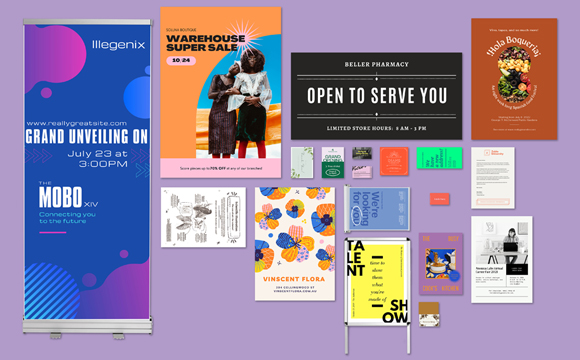
Custom Booklet Designs with Canva
Create professional custom booklet designs in Canva and print your premium booklets in-store at Officeworks.


Bleed size
This area will be cut off when your product is cut to size. Your design should extend all the way to the bleed size to ensure no unwanted white edges when the print is cut to size.

Trim size
This is the final size your print will be trimmed to when the excess bleed is removed and is the size you select when creating your product.

Safe margin size
This is to ensure you don't end up with text or important image content right on the edge of your print. Aim to keep important images and text inside the dotted safe area box.

Printable Area
The below dimensions represent the printable area of your Premium Booklets:
A4 - 220mm x307mm
A5 - 158mm x220mm

File Types
For best printing results, save your design as a PDF.Maximum file size is 250mb.

Resolution
Set the resolution of your design to 300dpi before you start designing. This way your print will be clear and sharp.

Colour Mode
Our print machines are specifically made to print using the CMYK colour mode. Make sure your design is in CMYK for best results.